
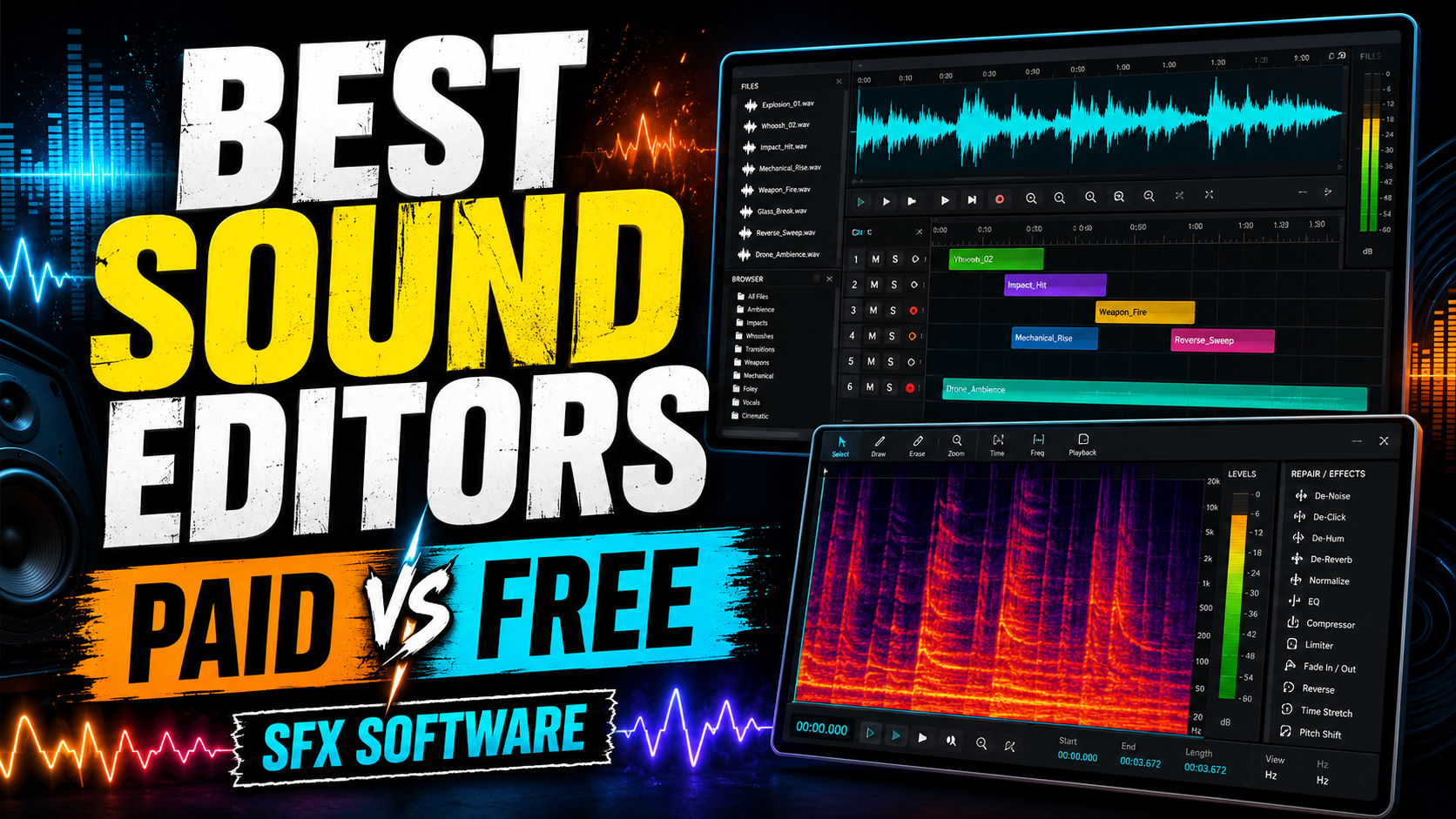
Sound effects are one of the most powerful parts of video, games, podcasts, films and online content. A good sound effect can make a scene feel real, funny, scary, dramatic or professional. Footsteps, doors, impacts, ambience, whooshes, mechanical sounds, monsters, alarms and small interface sounds all help create atmosphere.
But recording or downloading a sound effect is only the first step. To make it useful, you usually need to clean it, cut it, layer it, remove noise, adjust volume, add reverb, export it correctly and prepare it for the final platform. That is where audio editing software becomes important.
There are three main types of software to consider: paid professional tools, free/open-source tools and free proprietary tools. Each one has advantages depending on your budget, experience and workflow.
What Makes Good Sound Effects Editing Software?
The best software for sound effects should let you do at least the following:
| Feature | Why It Matters |
|---|---|
| Waveform editing | To cut, trim, fade and clean sounds precisely |
| Multi-track editing | To layer several sounds into one final effect |
| Noise reduction | To remove hiss, hum, wind or background noise |
| Effects and plugins | To add EQ, compression, reverb, pitch shifting and distortion |
| Batch export | To prepare many files quickly |
| Good file support | WAV, MP3, FLAC, AIFF and video-related formats |
| Stable performance | Important when working with large libraries or long projects |
| Fast workflow | The faster you edit, the more sounds you can produce |
For simple sound effects, a basic editor may be enough. For professional sound design, film post-production or game audio, a full DAW or dedicated restoration tool is usually better.
Paid Audio Editing Software
Paid tools usually offer better workflows, stronger plugin support, professional support, regular updates and deeper integration with video, music or post-production pipelines.
1. Adobe Audition
Adobe Audition is one of the most popular paid options for audio editing, podcasting, restoration and sound effects work. It is especially useful if you already use Adobe Premiere Pro, because the workflow between video and audio is very smooth.
Best for: YouTubers, editors, podcasters, video creators and Adobe users.
Pros:
- Clean and professional interface
- Strong noise reduction and repair tools
- Good spectral editing
- Excellent integration with Adobe Premiere Pro
- Good for voice, ambience, podcast and video sound cleanup
Cons:
- Subscription only
- Not the cheapest option long-term
- Less focused on music production than some DAWs
Verdict: Adobe Audition is one of the best all-round paid editors for video creators and sound effects editors who want a polished, professional workflow.
2. REAPER
REAPER is one of the best-value paid DAWs available. It is very powerful, lightweight, customizable and affordable compared with most professional audio software.
Best for: Sound designers, indie creators, game audio, music producers and technical users.
Pros:
- Very affordable
- Excellent multi-track editing
- Lightweight and fast
- Great plugin support
- Highly customizable
- Good for batch workflows and sound design
Cons:
- Interface can feel technical at first
- Requires some setup to get the best workflow
- Not as beginner-friendly as simpler editors
Verdict: REAPER is probably the best paid value option for serious sound effects editing. It is not free, but it is inexpensive compared with most professional DAWs and is powerful enough for professional work.
3. Avid Pro Tools
Pro Tools is widely used in professional music, film and post-production environments. It is powerful for recording, editing, mixing and managing large audio sessions.
Best for: Professional studios, post-production, music recording and collaborative workflows.
Pros:
- Strong professional reputation
- Excellent editing and mixing tools
- Good for large sessions
- Common in professional studios
Cons:
- More expensive than beginner tools
- Can be overkill for simple sound effects
- Learning curve is higher
Verdict: Pro Tools is excellent for professional audio environments, but it may be too much if you only want to create simple YouTube sound effects or basic sound libraries.
4. Logic Pro
Logic Pro is a powerful paid option for Mac users. It is especially strong for music production, sound design, MIDI, instruments and creative effects.
Best for: Mac users, musicians, creators and sound designers.
Pros:
- One-time purchase
- Huge library of instruments, loops and effects
- Great for creative sound design
- Excellent value for Mac users
Cons:
- Mac only
- More music-focused than pure audio restoration
- Not ideal if you need Windows or Linux support
Verdict: Logic Pro is one of the best paid tools for Mac-based sound design, especially if you want to create original effects, transitions, impacts, risers and musical sound textures.
5. Ableton Live
Ableton Live is mainly known for music production and live performance, but it is also very strong for creative sound design. Its warping, sampling, looping and effects make it excellent for designing modern sound effects.
Best for: Creative sound design, electronic sounds, transitions, game sounds and experimental effects.
Pros:
- Excellent for loops and sound manipulation
- Great effects and instruments
- Very fast creative workflow
- Strong for risers, impacts, glitches and transitions
Cons:
- More expensive than many alternatives
- Not designed mainly for dialogue cleanup
- May be unnecessary for basic editing
Verdict: Ableton Live is a great choice if you want to create stylized sound effects, especially for trailers, games, electronic content and YouTube transitions.
6. iZotope RX
iZotope RX is not just a normal editor. It is a specialized audio repair and restoration tool. It is used to fix noise, clicks, hum, clipping, dialogue problems and damaged recordings.
Best for: Cleaning bad audio, dialogue repair, noise removal and professional restoration.
Pros:
- Excellent noise reduction
- Powerful spectral repair
- Great for dialogue cleanup
- Can save difficult recordings
- Professional restoration tools
Cons:
- Expensive compared with basic editors
- Not necessary for simple cutting and layering
- Usually works best alongside another DAW
Verdict: iZotope RX is one of the best tools for repairing audio, but it is better as a companion tool rather than your only sound effects editor.
Free and Open-Source Audio Editing Software
Free and open-source software is ideal for beginners, small creators, students and anyone who wants to start editing sound without spending money.
1. Audacity
Audacity is probably the most famous free audio editor. It is open-source, easy to install and works on Windows, macOS and Linux.
Best for: Beginners, simple edits, podcasts, YouTube sound effects and quick exports.
Pros:
- Completely free
- Open-source
- Easy to learn
- Good for cutting, trimming and exporting
- Supports many basic effects
- Works on major operating systems
Cons:
- Interface is less modern than paid tools
- Multi-track workflow is basic compared with a DAW
- Not ideal for complex professional sound design
Verdict: Audacity is the best starting point for most beginners. For simple sound effects, it is more than enough.
2. Ardour
Ardour is a free and open-source digital audio workstation. It is much more advanced than a simple editor and is suitable for recording, editing, mixing and producing audio.
Best for: Linux users, open-source workflows, recording and multi-track editing.
Pros:
- Open-source
- Full DAW features
- Good for multi-track projects
- Works on Linux, macOS and Windows
- Suitable for more serious production
Cons:
- Less beginner-friendly than Audacity
- Setup can be more technical
- Some ready-to-run builds may involve payment or donation
Verdict: Ardour is one of the best open-source DAWs, especially for users who want a serious alternative to commercial software.
3. LMMS
LMMS is a free and open-source music production tool. It is not the best option for cleaning recorded sound effects, but it can be useful for creating digital sounds, melodies, loops and synthetic effects.
Best for: Electronic sounds, simple music, game-style effects and synthetic audio.
Pros:
- Free and open-source
- Good for electronic music and generated sounds
- Useful for retro game effects
- Beginner-friendly for simple beat creation
Cons:
- Not ideal for waveform editing
- Not the best tool for dialogue or field recordings
- Limited compared with professional DAWs
Verdict: LMMS is useful if you want to create sounds from scratch, but it should be combined with Audacity or another editor for final cleanup.
Freeware Audio Editing Software
Freeware is software that is free to use but not necessarily open-source. These tools can be very useful, especially for beginners.
1. Ocenaudio
Ocenaudio is a free, lightweight and easy-to-use audio editor. It is simpler than Audacity in some ways and has a clean interface, making it good for quick edits.
Best for: Beginners, quick trimming, basic effects and simple audio cleanup.
Pros:
- Free
- Clean interface
- Easy to use
- Fast for simple edits
- Works on multiple platforms
Cons:
- Less powerful than full DAWs
- Not ideal for complex multi-track sound design
- Fewer advanced tools than professional software
Verdict: Ocenaudio is one of the best free tools for quick and simple audio editing.
2. GarageBand
GarageBand is free for Apple users and is a very good starting point for music, sound effects and creative audio production.
Best for: Mac, iPhone and iPad users.
Pros:
- Free for Apple users
- Easy to use
- Includes instruments, loops and effects
- Good for beginners
- Nice path toward Logic Pro
Cons:
- Apple ecosystem only
- Not focused on professional audio repair
- Less flexible than Logic Pro or REAPER
Verdict: GarageBand is one of the best free tools for Mac users who want to create music-based or creative sound effects.
3. DaVinci Resolve Fairlight
DaVinci Resolve includes Fairlight, a full audio post-production environment inside a video editing program. The free version of DaVinci Resolve is already very powerful, making it a strong option for creators who edit both video and audio.
Best for: Video creators, YouTubers, filmmakers and editors.
Pros:
- Free version available
- Video and audio in one program
- Professional audio post-production tools
- Good for YouTube and film workflows
- Works on Windows, macOS and Linux
Cons:
- Bigger and heavier than a simple audio editor
- More complex for beginners
- Best if you also work with video
Verdict: DaVinci Resolve is one of the best free options for video creators who want to edit sound effects directly inside their video workflow.
Paid vs Free: Which Is Better?
The best choice depends on what you want to do.
| User Type | Best Choice |
|---|---|
| Complete beginner | Audacity or Ocenaudio |
| YouTube creator | Audacity, Adobe Audition or DaVinci Resolve |
| Mac beginner | GarageBand |
| Mac professional | Logic Pro |
| Best low-cost professional option | REAPER |
| Professional studio | Pro Tools |
| Sound repair and cleanup | iZotope RX |
| Open-source workflow | Audacity or Ardour |
| Creative sound design | REAPER, Logic Pro or Ableton Live |
| Video + audio workflow | DaVinci Resolve or Adobe Audition with Premiere Pro |
Free tools are excellent for learning and basic work. Paid tools become worth it when you need speed, advanced workflows, professional plugins, batch processing, better restoration or large project management.
Recommended Software Setup by Budget
Free Setup
For a completely free workflow:
- Audacity for editing and exporting
- Ocenaudio for quick simple edits
- DaVinci Resolve for video and audio post-production
- GarageBand if you use Mac
- Ardour if you want an open-source DAW
This setup is enough for YouTube sound effects, basic sound libraries, podcasts and simple audio cleanup.
Low-Cost Professional Setup
For the best value:
- REAPER as the main DAW
- Audacity or Ocenaudio for quick edits
- Free plugins for EQ, compression, reverb and limiting
- Optional iZotope RX Elements for basic repair
This is probably the best balance between price and professional capability.
Professional Setup
For a professional workflow:
- Pro Tools, Adobe Audition, Logic Pro or REAPER as the main editor
- iZotope RX for audio repair
- High-quality paid plugins for restoration, reverb, dynamics and mastering
- A good sound library management system
This setup is ideal for film, games, commercial sound design and professional audio production.
Basic Workflow for Editing Sound Effects
A simple workflow for creating a clean sound effect looks like this:
- Import or record the raw sound.
- Cut the best part of the audio.
- Remove unwanted silence.
- Apply fade-in and fade-out.
- Remove background noise if needed.
- Use EQ to remove low rumble or harsh frequencies.
- Compress lightly if the sound needs more impact.
- Add reverb, pitch shift or distortion for creative effect.
- Normalize or limit the final volume.
- Export as WAV for quality or MP3 for smaller file size.
For professional sound libraries, WAV is usually preferred because it keeps higher quality. MP3 is useful for previews, YouTube uploads or lightweight downloads.
Best Overall Recommendations
For most beginners, the best choice is Audacity because it is free, open-source and simple to use.
For the best professional value, REAPER is the strongest recommendation because it is affordable, powerful and flexible.
For video creators, DaVinci Resolve and Adobe Audition are excellent choices depending on whether you prefer a free integrated workflow or a paid Adobe workflow.
For Mac users, GarageBand is great for beginners and Logic Pro is excellent for more advanced production.
For professional audio repair, iZotope RX is the best specialized tool.
Final Verdict
You do not need expensive software to start editing sound effects. Free tools like Audacity, Ocenaudio, GarageBand and DaVinci Resolve are already powerful enough for many creators. However, if you want to work faster, build professional sound libraries, create complex layered effects or clean difficult recordings, paid tools like REAPER, Adobe Audition, Logic Pro, Pro Tools, Ableton Live and iZotope RX can make a big difference.
The best practical recommendation is simple: start with Audacity or Ocenaudio, move to REAPER when you need more power, and add iZotope RX only when audio cleanup becomes important. This gives you a professional workflow without wasting money at the beginning.
Leave a Reply